Station administrator guide
This guide is for the station administrator: the person who sets up the station, adds the operators and keeps the station running. If you set up the station with Get started, you are its administrator. You use the administrator user account you created on the first run.
Most pages of this guide may assume that you are comfortable with computers. You need the Linux command line only to recover a station by hand, and the guide says so where it does.
Two places to manage the station
You manage the station in two places:
- Web Radio Control, at the station address, such as
https://shack.local/. Everything about the station is in Settings › Station: its call signs, users, devices, network and maintenance. You use it every day, on the local network of the station or from the internet. - The setup page, at
http://shack.local/on the local network of the station. After the first run it asks for the administrator login and holds only what recovers the station: its network, ports and firewall, the certificate, restarts and resets, backups and the diagnostic report. Use it when Web Radio Control can’t be reached (see Recover a station).
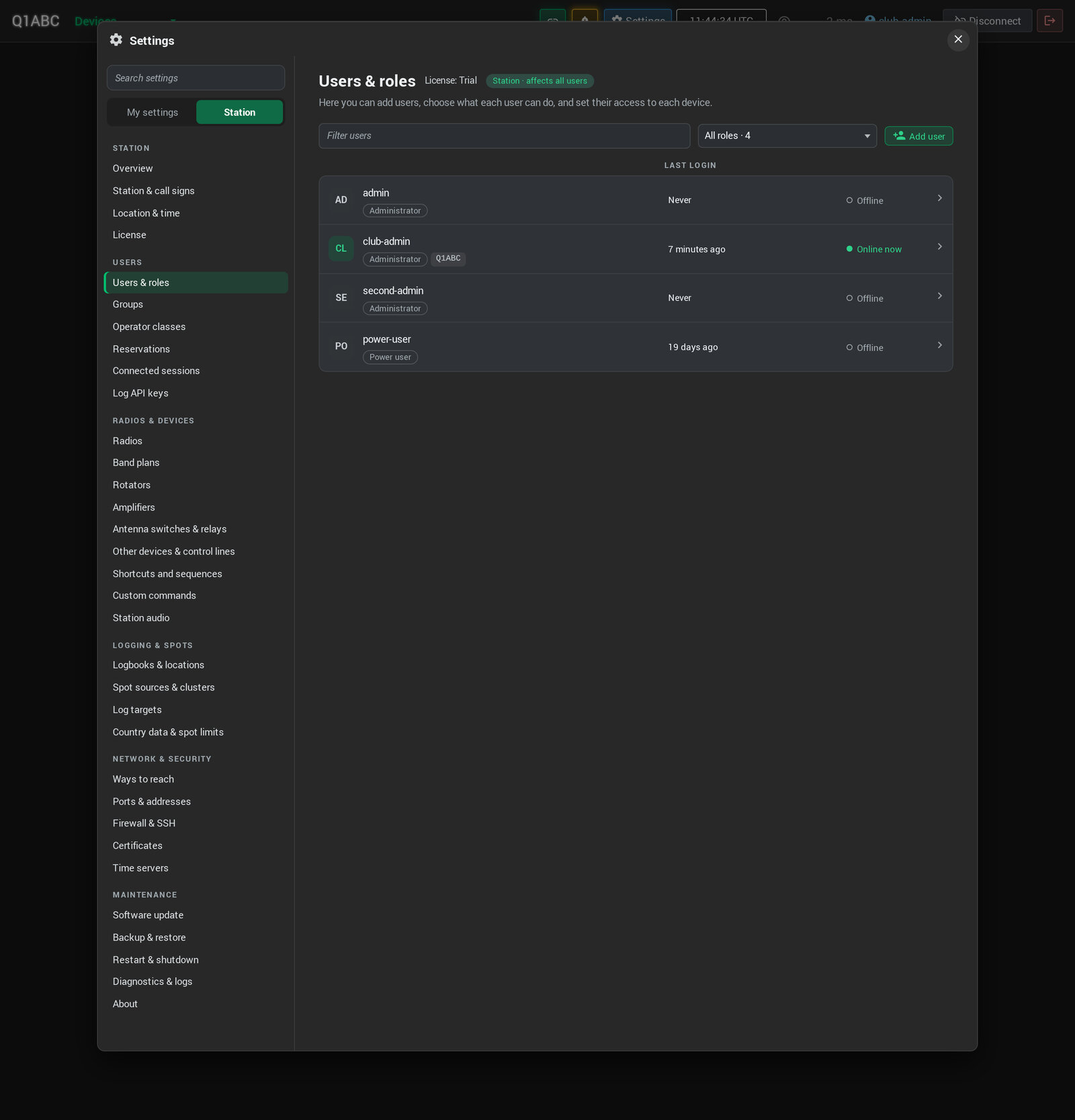
Settings › Station
Choose Settings in the top bar. The Settings dialog opens at the settings of the station, Station · affects all users. Its sidebar groups the pages:
| Group | Pages | Where to read more |
|---|---|---|
| Station | Overview, Station & call signs, Location & time, License | Station, call signs and location, The license, Finish on the Overview |
| Users | Users & roles, Groups, Operator classes, Reservations, Connected sessions, Log API keys | Users and roles |
| Radios & devices | Radios, Band plans, Rotators, Amplifiers, Antenna switches & relays, Other devices & control lines, Shortcuts and sequences, Custom commands, Station audio | Radios and devices, Add a device |
| Logging & spots | Logbooks & locations, Spot sources & clusters, Log targets, Country data & spot limits | Logging and spots, Logbooks and locations |
| Network & security | Ways to reach, Ports & addresses, Firewall & SSH, Certificates, Time servers | Network and security, Join Wi-Fi or set a fixed address |
| Maintenance | Software update, Backup & restore, Restart & shutdown, Diagnostics & logs, About | Maintenance |
Each page shows only to the users whose roles allow it. The administrator sees them all. A user with the Power user role also sees the device pages, Logbooks & locations and Connected sessions. They see Restart & shutdown too, where they can restart Web Radio Control and reboot or shut down the station, and Diagnostics & logs, where they can fix device control and audio, but not make the diagnostic report or read the logs. Every user sees the Overview and About, and their own settings in My settings.
A change to the station settings applies at once, for every user, with no restart. Some changes, such as those to users, certificates, the ports and the station data, ask for your password again. It then holds for fifteen minutes.