Telemetry
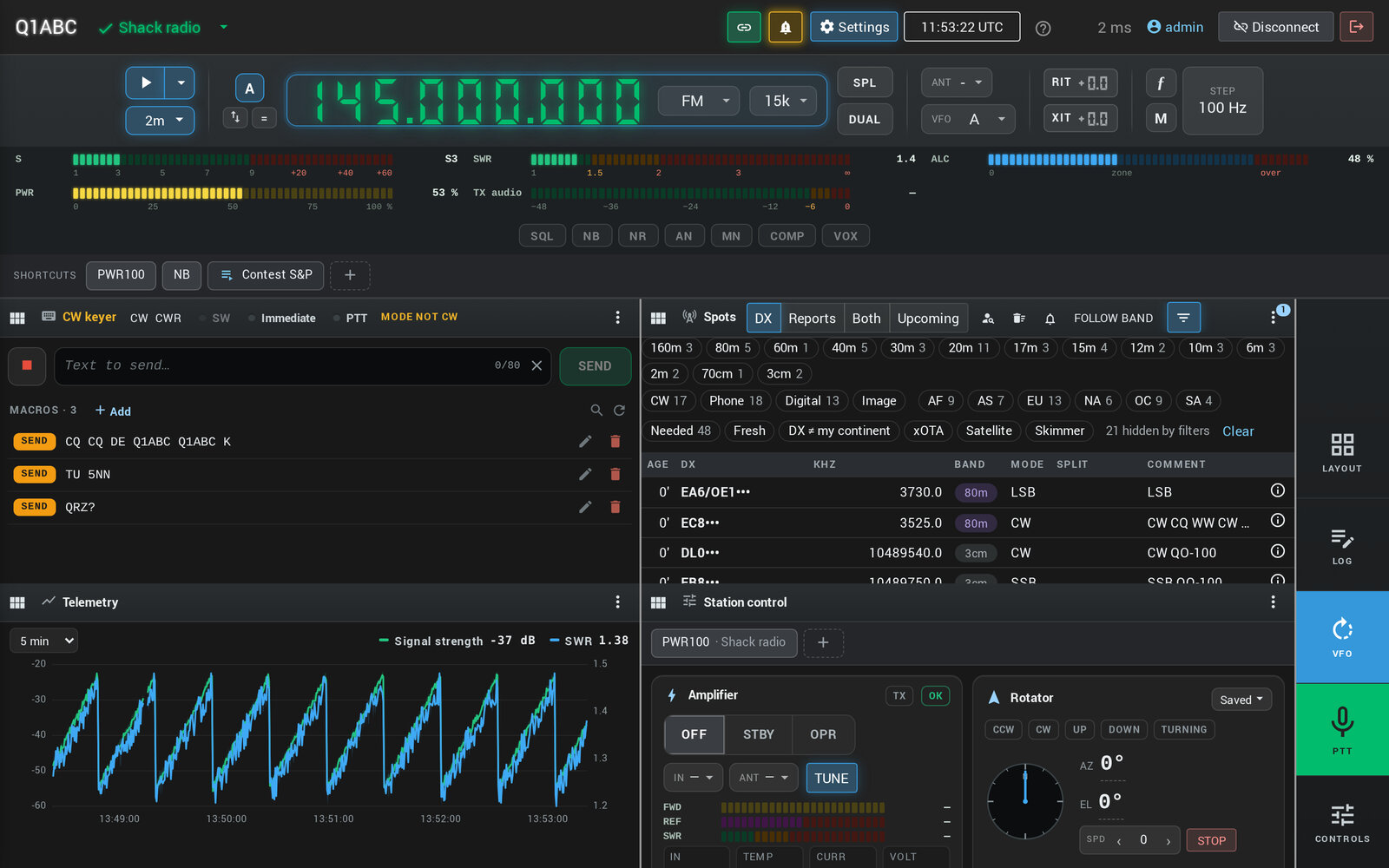
The station records what its radios, amplifiers and rotators report, such as the power, the SWR and the direction, whether or not anyone is watching. The charts show these readings over time, so you can see how the SWR changed during a contest, or whether the supply voltage dropped while you transmitted.
The charts
- The Telemetry module on the radio page charts the meters of the radio, the signal strength and the SWR by default. Choose it for a module position under Tools (see Change the module of a position).
- The page of an amplifier has Power history, the forward, reflected and drive power with the SWR, and Supply history, the temperature, voltage and current (see The amplifier).
- The page of a rotator has Telemetry under its saved directions: the azimuth and, for a rotator with elevation, the elevation. It is closed at first. Open it to load the chart (see Turn the antenna).
Read a chart
Each line is the average of its readings, over a faint band from the lowest to the highest reading, so a short peak between two readings still shows. The first series has its unit on the left axis, and another unit is on the right. The legend gives the latest value of each series. Point at the chart to see the time and the values there.
Where the device wasn’t read, because it was off or not connected, the line stops.
Choose the window
Window, at the top left of each chart, chooses how far back it shows: 1, 5 or 15 minutes, or 1, 3, 6, 12 or 24 hours. The chart moves on each second as new readings come. Your choice is kept with your account, for the device and the layout in use.
Choose the meters
In the ⋮ of the Telemetry module, Meters charted lists the meters the radio reports. Switch on those you want. RF power and ALC are in percent, as the meters show them, and the signal strength in dB over S9.
Settings › My settings › Telemetry holds your defaults for the Telemetry module of every radio: its meters and its window, 5 minutes by default. A module follows them until you choose meters or a window for it. Use my defaults in its ⋮ then forgets its own choice. All telemetry settings ›, at the foot of the ⋮, opens the page for this radio.
How long the station keeps it
The station keeps the readings in its memory, not on the SD card. A restart of Web Radio Control starts the record afresh. It keeps fine detail for the last hour, and a point a minute for the last day. A chart of a longer window shows the points a minute.
The station administrator can change how fine the record is and how long the detail is kept, for each kind of device (see Telemetry).